10 Best Construction ERP Software Solutions
According to McKinsey’s recent analysis of more than 300 billion-dollar megaprojects, average cost overruns reach around 80%, while schedule delays average about 50%. These figures show why construction companies need accurate job costing, financial management, resource planning, and project tracking.
Construction ERP software brings these functions into one system. You can track costs, coordinate teams, manage contractors, and monitor project performance from a single platform.
This guide compares 10 leading construction ERP software solutions, including their core features, ideal users, pricing information, and key limitations. It will help you choose the right platform for your business.
How We Evaluated Each Construction ERP Software
We selected these platforms based on their prominence in the construction software market and how frequently they appear in industry discussions, customer case studies, and contractor technology evaluations.
Each construction ERP platform was assessed against three criteria:
- Construction-specific depth: Features such as job costing tied to the general ledger, WIP reporting, retainage, certified or union payroll, and field-to-office data flow.
- Concrete customer evidence: Named case studies and specific vendor-published results took priority over vague claims about efficiency or visibility.
- Clear construction-specific differentiation: Each platform needed a distinct reason for inclusion rather than overlapping with other “all-in-one” systems.
Customer metrics and adoption figures cited throughout are vendor-published and have not been independently audited. Before treating any reported result as a likely outcome, we suggest asking vendors for references from construction companies with a similar size, trade, project mix, and operating model.
Quick Comparison of the Best Construction ERP Solutions
Short on time? Check out the table below to compare each construction ERP solution based on who it is best for and the core capabilities it offers.
| Software | Best for | Core strengths |
|---|---|---|
| Premier Construction Software | General contractors and builders | Construction accounting, job costing, project management, field management, drawings, and document control |
| OpenConstructionERP | Construction, engineering, and infrastructure teams that want an open-source ERP | Estimating, BOQ preparation, CAD and BIM takeoff, tendering, project controls, quality management, and financial tracking |
| Penta Software | Large specialty contractors | Complex job costing, construction payroll, field service, financial management, and multi-division reporting |
| Access Coins Evo | Specialty contractors with complex office and field operations | Financials, payroll, procurement, service management, equipment, compliance, and project reporting |
| Acumatica Construction Edition | Contractors that need flexible cloud ERP | Job costing, project management, equipment, inventory, payroll, CRM, field service, and multi-entity accounting |
| Trimble Viewpoint | Contractors that want ERP connected to project execution | Accounting, payroll, job costing, field tools, project management, service, equipment, estimating, and document workflows |
| NetSuite | Multi-entity construction and project-based businesses | Project management, job costing, finance, procurement, inventory, billing, field service, and reporting |
| Sage Construction | Construction firms that prioritize financial management | Construction accounting, job costing, payroll, estimating, project operations, and workforce management |
| Tactive ERP | Construction, infrastructure, and real estate companies | Tendering, budgeting, scheduling, procurement, materials, equipment, payroll, finance, and reporting |
| Xpeedon | General contractors, specialist contractors, housebuilders, developers, and offsite manufacturers | Cost control, contracts, procurement, finance, site workflows, mobile approvals, and supply chain visibility |
Top 10 Construction ERP Platforms to Keep Projects on Track
The right construction ERP depends on your company size, project complexity, existing systems, and operational priorities. Let’s take a closer look at what each platform offers and where it may fit your business.
1. Premier Construction Software
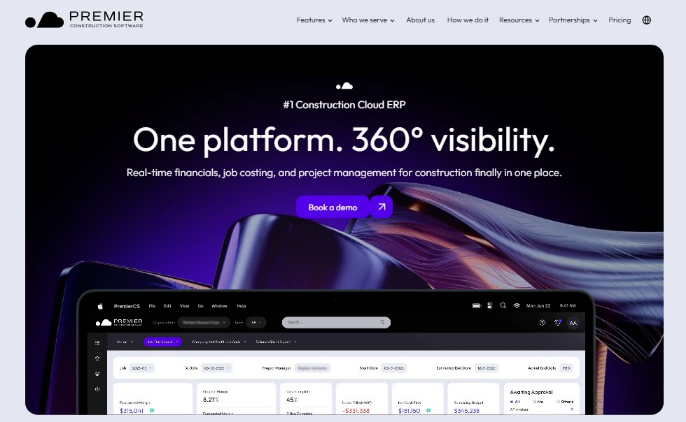
- Best for: General contractors and builders that need cloud ERP for construction accounting, job costing, project management, field management, drawings, document control, and financial visibility.
- Customer proof: Legacy Construction achieved 90% subcontractor portal adoption and eliminated a budget process that previously took a full day by using Premier Construction Software.
Premier Construction Software is best for construction companies that want accounting, project management, and field workflows in one cloud system rather than separate tools for finance and operations. Its platform covers job costing, financials, project management, field management, drawings, and document control.
It’s a good option if your construction ERP priority is tighter cost control from bid through closeout. Premier says its accounting tools sync job costs to the general ledger in real time, support AP and AR workflows, and can go live in as few as 60 days using industry-specific templates and blueprints.
2. OpenConstructionERP
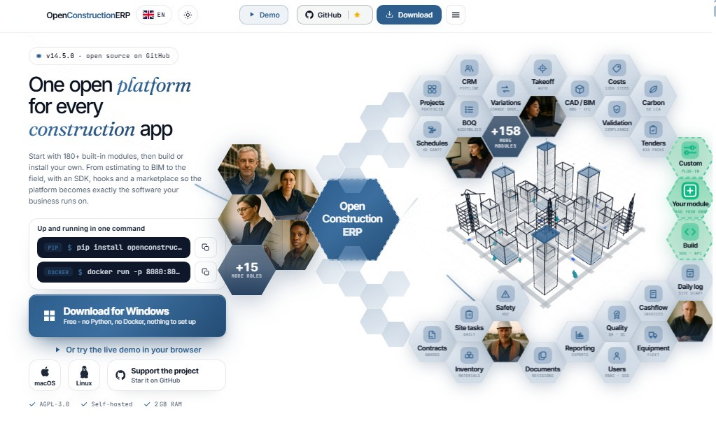
- Best for: Construction, engineering, and infrastructure teams that want an open-source, self-hosted ERP for estimating, BOQ preparation, CAD/BIM takeoff, tendering, project controls, quality, and financial tracking.
- Published proof point: OpenConstructionERP says version 7 includes 86 modules, 4D scheduling, 5D project costing, support for 27 languages, and desktop installers for Windows, macOS, and Linux.
OpenConstructionERP is different from most construction ERPs in this list because it is open source and local-first rather than a subscription-based cloud platform. The desktop version is distributed under AGPL-3.0, requires no Python, Docker, pip, or database setup, and keeps project data on the user’s machine.
This makes it most relevant for teams that care about data control, self-hosting, and avoiding recurring ERP license fees. The product covers feasibility studies, quantity takeoff, BOQ preparation, tendering, bid comparison, project execution, quality management, and financial control.
3. Penta Software
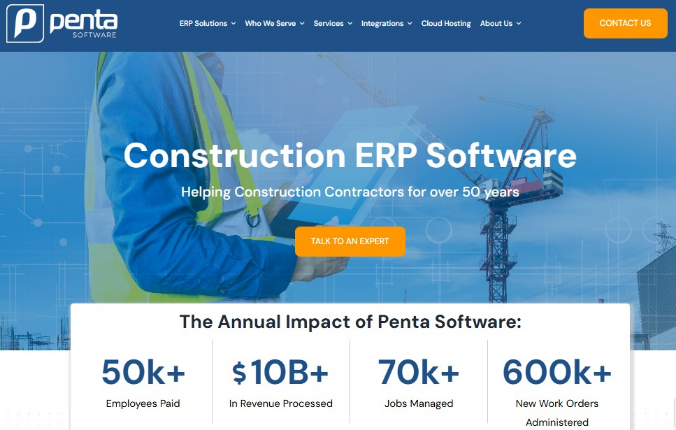
- Best for: Large specialty contractors that need ERP for complex job costing, construction payroll, field service, financial management, multi-trade operations, and multi-division reporting.
- Published proof point: Penta says its annual platform impact includes 50k+ employees paid, $10B+ in revenue processed, 70k+ jobs managed, and 600k+ new work orders administered.
Penta is purpose-built for specialty contractors that need an ERP capable of supporting complex construction operations as their business grows. Its configurable platform helps companies manage projects, financials, and field activities from a single source of truth.
Beyond the software itself, Penta provides implementation, consulting, cloud hosting, and ongoing support to help contractors maximize their ERP investment over the long term. The platform is backed by more than 50 years of experience serving the construction industry.
4. Access Coins Evo
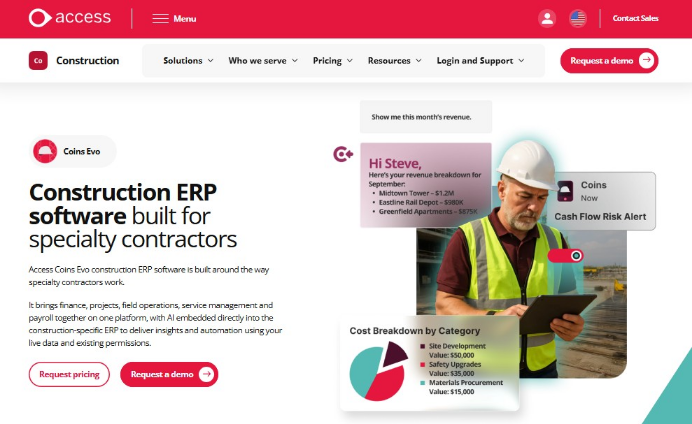
- Best for: Specialty contractors that need construction ERP for job costing, financials, payroll, procurement, service management, field time, equipment, compliance, and project reporting.
- Customer proof: P1 Construction reduced invoice processing from one week to one day, gave more than 250 foremen access to mobile daily crew reports, and equipped over 25 technicians nationwide with its mobile technician app.
Access Coins Evo is designed for contractors that have outgrown disconnected accounting, payroll, service, and field systems. The platform connects financials, projects, service operations, payroll, equipment, procurement, and field teams, with job costs tied directly to the general ledger and mobile field data flowing back into payroll, billing, and project reporting.
This is most relevant for contractors that need tighter field-to-office control across MEP, HVAC, plumbing, electrical, heavy highway, civil, and specialty trades. Its construction-specific capabilities include WIP reporting, retainage tracking, certified payroll, mobile field tools, and general-ledger-linked job costing. Access states that implementation can take 7 to 18 months, depending on the company’s requirements and project scope.
5. Acumatica Construction Edition
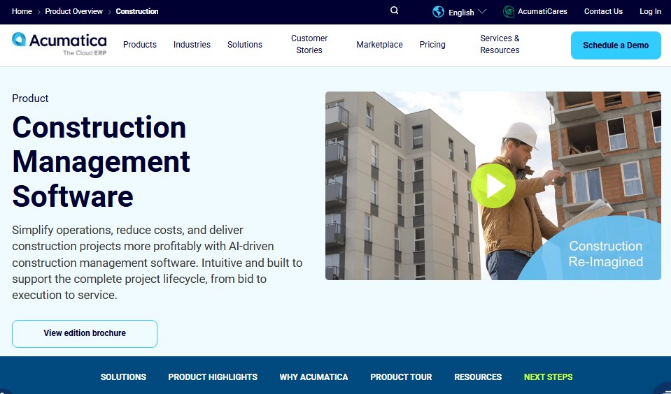
- Best for: Contractors and construction firms that want cloud ERP for job cost accounting, project management, equipment, inventory, time management, payroll, CRM, field service, reporting, and multi-entity accounting.
- Customer proof: Curran Young Construction reported 30% time savings after replacing three separate systems with Acumatica. The company completed implementation in 5 weeks, and avoided the cost of upgrading its servers.
Acumatica is a strong fit for construction businesses that want cloud ERP with broad user access and flexible integrations. Its construction page highlights role-based tools for job site teams, executives, back-office users, and project support teams, with modules for job costing, project management, equipment, expenses, mobile access, payroll, CRM, field service, BI dashboards, and intercompany accounting.
The platform is a strong fit for contractors replacing spreadsheets, legacy accounting systems, or multiple disconnected tools. Acumatica’s construction page says the system supports mobile time capture from the field, project cost visibility, change order workflows, project revenue analysis, centralized material planning, and prebuilt connectors for construction tools such as Procore, Excel, and BuildingConnected.
6. Trimble Viewpoint
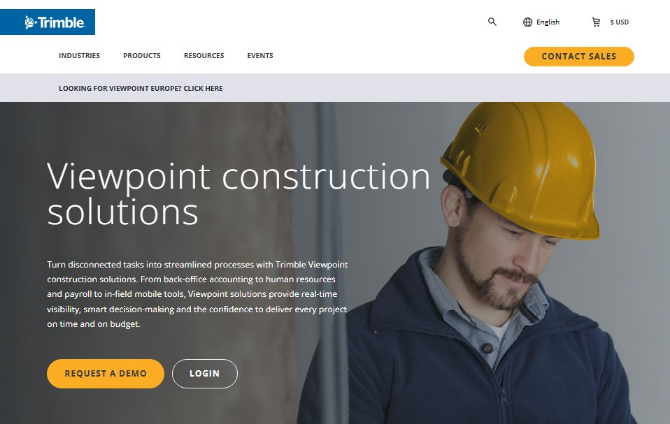
- Best for: Contractors that need ERP, accounting, payroll, job costing, field tools, project management, service management, equipment, estimating, and document workflows connected across office and jobsite teams.
- Published proof point: Trimble reports a 30% reduction in project delays, a 75% reduction in safety issues, and a 50% reduction in time spent tracking unapproved invoices.
Trimble Viewpoint combines two core ERP options, Vista and Spectrum, with a wider set of construction tools under Trimble Construction One. This structure lets contractors connect financial and operational data with field activity, documents, procurement, fabrication, and collaboration workflows.
Its main strength is the breadth of the Trimble ecosystem. Contractors can start with an ERP platform and add connected tools as their needs expand, which makes the system suitable for companies that want one technology environment across multiple stages of the construction lifecycle.
7. NetSuite

- Best for: Construction firms that need cloud ERP for project management, job costing, field service, finance, procurement, inventory, billing, reporting, and multi-entity accounting.
- Customer proof: Al Faris Group used NetSuite to manage the rental of 3,000+ machines, worth an estimated $400M, across thousands of construction projects and approximately 3,200 employees.
NetSuite gives construction businesses a single cloud system for managing project financials and company-wide operations. Its unified database keeps project activity, accounting records, purchasing, billing, and cash flow information connected as transactions move through the business.
The platform is well suited to contractors, developers, and construction service companies with multiple entities, locations, or project-based revenue streams. Field purchase orders, retainage releases, job costs, and financial forecasts feed into the same system, giving leadership a clearer view of project performance and overall business results.
8. Sage Construction

- Best for: Contractors that want construction accounting, job costing, payroll, estimating, project operations, workforce management, and Procore-connected field workflows under the Sage construction software umbrella.
- Customer proof: Orion Companies moved bank reconciliation from 10 days across 40 bank accounts to real-time daily reconciliation after switching to Sage Intacct.
Sage stands out for its finance-first approach to construction software. The company reports that its financial management solutions are used by 48% of the ENR Top 400 Contractors, 53% of the BD+C Giants Top 115 Firms, and more than 16,500 construction and real estate companies.
Its portfolio includes options for different company sizes and operational needs, from Sage Intacct Construction and Sage 300 Construction and Real Estate to Sage 100 Contractor. Sage also connects accounting and project operations through its Procore integration, which helps finance and field teams share data and reduce duplicate entry.
9. Tactive ERP
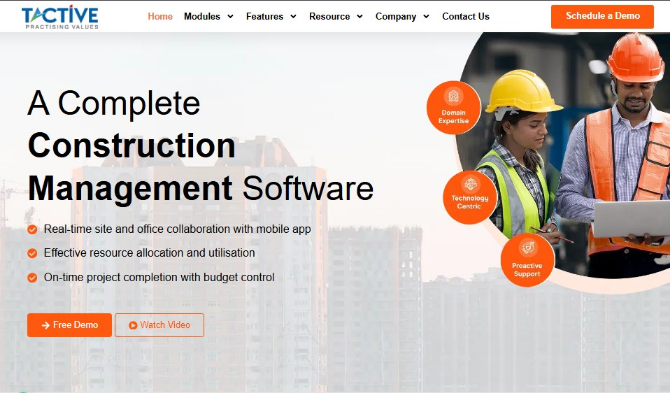
- Best for: Construction, infrastructure, and real estate companies that need ERP for tendering, budgeting, scheduling, project management, procurement, inventory, equipment, HR, payroll, finance, dashboards, and reporting.
- Customer proof: In a URC Constructions case study, Tactive says its material allocation application helped URCC save nearly 2% every year by automatically surfacing material availability across projects and sites.
Tactive is a construction-specific ERP rather than a general business system adapted for contractors. Its website says the product is backed by 17+ years of R&D, strengthened by six decades of industry experience from parent firm URC Constructions, and supported by a team of 300+ professionals.
The platform is a good fit for contractors that want tighter control over site-level materials, equipment, project costs, approvals, and field reporting. Tactive highlights two-way integration with MS Project and Primavera, biometric integration, mobile and email alerts, document management, S-curves, budget-vs-actual tracking, material reconciliation, equipment utilization, fuel consumption analysis, job-cost reports, and stock reports.
10. Xpedeon
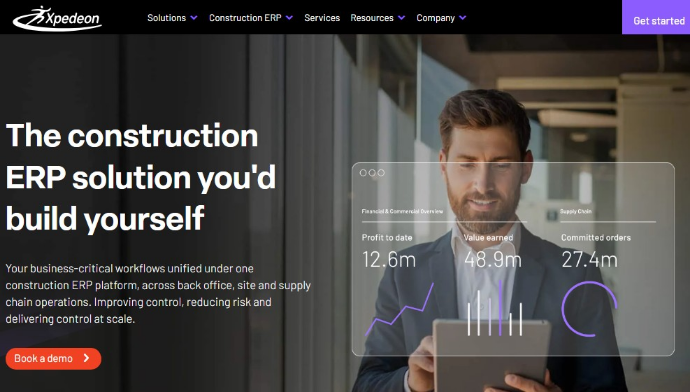
- Best for: General contractors, specialist contractors, housebuilders, developers, and offsite manufacturers that need ERP for cost control, contracts, procurement, finance, site workflows, mobile approvals, and supply chain visibility.
- Published proof point: Xpedeon reports 40% faster payment cycles, 70% fewer manual errors, and 80% less paper usage on its construction accounting page.
Xpedeon is built around construction cost and contract control, with workflows for real-time cost data, commitments, variations, procurement, approvals, mobile site updates, and cash-flow visibility. Its homepage also highlights operational results such as cutting processing time from 4 days to 1.5 days through automated approvals and connected workflows.
This makes Xpedeon a good choice for contractors trying to replace fragmented procurement, finance, contract, and site systems with a single construction ERP. Its procurement page reports 35% faster month-end reporting, 30% fewer missed variations, and 2x faster audits from connected procurement workflows.
How to Evaluate Construction ERP Software Beyond the Feature List
“Margins in construction are razor-thin, so getting financial clarity is a non-negotiable,” says Tyler Patton, a former project manager at SpawGlass Contractors now advising firms on cost management at Autodesk.
This financial clarity should guide how you evaluate construction ERP software. One question matters more than a long feature list: How quickly does the system reveal that actual costs are drifting from the budget?
Construction ERP software cannot prevent every delay, price increase, or scope change. However, it can shorten the time between a cost issue occurring and management seeing its effect on margins and cash flow.
This requires more than basic job cost tracking. The ERP should connect labor, materials, equipment, subcontractor commitments, change orders, billing, and overhead directly to the general ledger. It should also update WIP and cost-to-complete forecasts as new information enters the system.
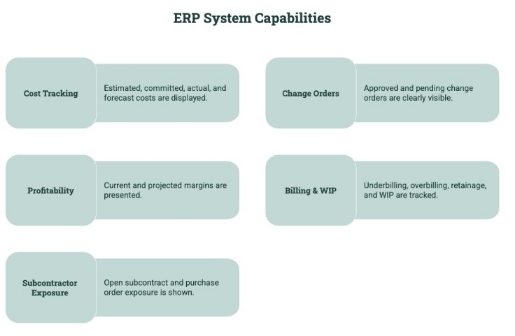
Construction executives should test whether the system can show:
- Estimated, committed, actual, and forecast costs
- Approved and pending change orders
- Current and projected margins
- Underbilling, overbilling, retainage, and WIP
- Open subcontract and purchase order exposure
During vendor demos, use a real scenario involving unexpected subcontractor costs, labor overruns, and a pending change order. Then see how quickly the platform updates project costs, WIP, cash flow, and forecasted profitability.
That test shows whether the construction ERP platform acts as an early-warning system or simply records the overrun after it happens.
Build the Right ERP Strategy With Alpha Apex Group
Choosing the wrong ERP can compound the same cost overruns, reporting gaps, and delays that construction companies are trying to control.
Alpha Apex Group provides vendor-agnostic ERP strategy and implementation consulting built around your business requirements. We can help you evaluate software, plan the implementation, integrate existing systems, customize modules, and optimize an established ERP.
Contact us to find out more about how we can help you get more out of your next construction ERP.
FAQs
What’s the difference between construction ERP and general project management software?
Project management software focuses on schedules, tasks, drawings, RFIs, and field coordination. Construction ERP, on the other hand, connects those workflows to job costing, accounting, payroll, procurement, equipment, billing, and company-wide financial reporting.
How much does construction ERP software typically cost to implement?
Construction ERP implementation costs vary widely based on company size and project complexity. Small and mid-sized deployments may cost tens of thousands to a few hundred thousand dollars, while larger mid-market implementations can reach the low six figures or more.
How long does a construction ERP implementation usually take?
Most mid-market implementations take roughly 6 to 18 months. A phased rollout may move core financials live sooner, while multi-entity deployments involving payroll, field systems, historical data, and custom integrations often take longer. Our guide to common ERP implementation challenges explains what typically causes those delays.
Can construction ERP integrate with tools like Procore, BIM, or payroll systems already in use?
Yes. Many construction ERP platforms offer APIs, prebuilt connectors, or middleware integrations for Procore, BIM applications, estimating tools, payroll systems, and field software. Buyers should confirm whether each connection supports real-time, bidirectional data or only scheduled file transfers.
How does Alpha Apex Group help construction companies choose between competing ERP vendors?
Alpha Apex Group translates operational requirements into evaluation criteria, compares platform fit, identifies integration and customization risks, and helps assess scalability and long-term value. This gives construction companies an independent comparison rather than relying solely on vendor demonstrations.
What does Alpha Apex Group’s TCO/ROI analysis look like for a construction ERP decision?
The analysis considers more than subscription or licensing fees. It examines implementation services, integrations, customization, internal labor, training, support, infrastructure, and future upgrades, then compares those costs against potential gains in job-cost visibility, billing speed, productivity, and cost control.
.webp)
.jpg)
.jpg)