Top 10 ERP for Local Government: Fund Accounting, Procurement and Transparency
.jpg)
ERP for local government has to handle fund accounting, procurement rules, payroll complexity, grants, audit trails, and public reporting without forcing staff into spreadsheets and manual workarounds.
This pressure is already showing up in local finance departments. In GFOA’s 2025 Fiscal Pulse research, based on responses from 497 U.S. municipalities and counties, technology and efficiency emerged as one of the most common areas finance officials wanted to improve.
Among 136 respondents who described what they would change about their budgeting process, 29 raised technology and efficiency, with many calling for a move from spreadsheets to specialized budgeting software and cloud-based systems.
The right ERP can help connect these financial and administrative processes in one system, but the best fit depends on your fund structure, procurement requirements, integrations, reporting needs, and organizational size.
This guide compares 10 ERP options for local government, the capabilities worth prioritizing, and common mistakes to avoid during selection and implementation.
P.S. If you need support evaluating, integrating, or customizing an ERP, Alpha Apex Group provides ERP consulting tailored to your organization’s existing systems and requirements.
TL;DR
- OpenGov: Purpose-built for government, with fund accounting, budgeting, procurement, payroll, utility billing, grants, and transparency capabilities.
- Oracle NetSuite for Government: Cloud ERP for local governments that want fund accounting, procurement, budgeting, payroll, HR, grants, and utility billing within one system.
- Infor CloudSuite Public Sector: Public sector ERP covering financial management, procurement, supply management, reporting, and analytics, with FedRAMP-certified cloud capabilities.
- SylogistGov ERP: Microsoft-based local government ERP covering fund accounting, grants, payroll, taxation, utility billing, licensing, and citizen services.
- Unit4 ERP: Public sector cloud ERP that connects finance, procurement, HR, payroll, and planning for local and regional government organizations.
- Matiyas Public Sector ERP: Public sector platform bringing together financial management, budgeting, procurement, HR, workforce management, grants, and citizen-service workflows.
- RDA Systems: Municipal ERP designed for small local governments, with fund accounting, budgeting, procurement, payroll, utility billing, tax management, and constituent portals.
- Sage Intacct: Finance-focused cloud platform offering GASB-compliant fund accounting, grant tracking, budgeting and planning, spend management, and financial reporting.
- Tyler Technologies Enterprise ERP: Local government ERP supporting financial management, budgeting, procurement, HR, payroll, revenues, utility billing, and other public administration functions.
- MIP Fund Accounting: Fund accounting platform with budgeting, purchasing, encumbrances, grant management, GASB reporting, payroll, and related financial management capabilities.
10 Leading ERP Software for Local Government: A Closer Look
The following platforms support core local government needs such as fund accounting, budgeting, procurement, payroll, grants, utility billing, and public reporting. Each option differs in its public-sector depth, deployment model, integrations, and ideal government use case.
1. OpenGov
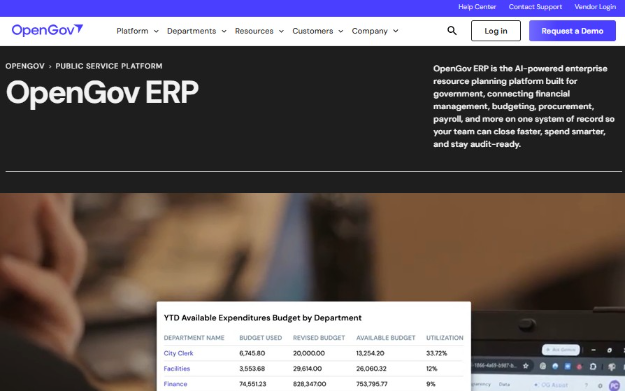
- Public-sector strengths: Purpose-built accounting, real-time budget controls, procurement and contract management, payroll, grants, utility billing, and public transparency tools.
- Best government fit: Cities, counties, special districts, and utilities replacing disconnected legacy finance and procurement systems.
OpenGov is purpose-built for state and local government. Fund balances update in real time as payroll, procurement, billing, and revenue transactions post, giving finance teams a current view of available funds. Its procurement tools also support public contract portals and access to solicitation information, which can make purchasing activity easier to track.
Orange County, California centralized procurement across 22 departments and 19,000 employees using OpenGov. The County now manages 2,400+ active contracts in one system, while standardized digital workflows helped grow its supplier pool by 10%. The platform also supports the SoCal Procurement Alliance, which includes 95+ public agencies across Southern California.
2. Oracle NetSuite for Government
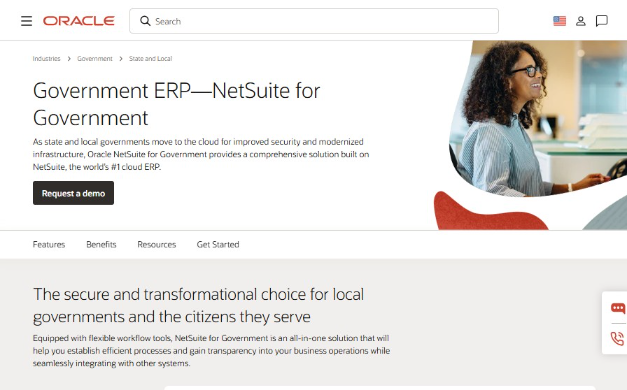
- Public-sector strengths: Fund accounting, encumbrances, procurement, grants, budgeting, payroll, HR, utility billing, GASB reporting, and citizen self-service.
- Best government fit: Small-to-midsize cities, counties, utilities, transit agencies, and regional authorities looking to consolidate back-office functions.
NetSuite for Government brings fund accounting, procurement, payroll, HR, grants, budgeting, and utility billing into one cloud platform. Its accounting system can balance entries across funds, while procurement tracks committed funds through requisitions, purchase orders, and payment. It also provides GASB-compliant financial reporting and customer self-service capabilities for utility billing.
A useful scale proof point is Oracle’s agreement with NEORide, which makes NetSuite for Government available to 40 public transit entities across 11 states.
3. Infor CloudSuite Public Sector
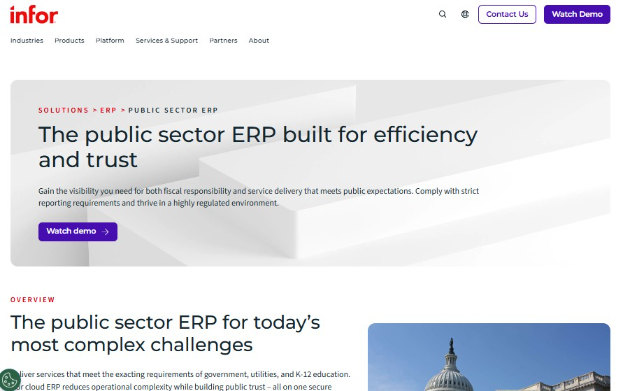
- Public-sector strengths: Public-fund financial management, budgeting, procurement, grants, HCM, analytics, audit preparation, and AWS GovCloud deployment.
- Best government fit: Cities, counties, utilities, special districts, transportation authorities, and other public agencies that need finance and procurement connected with workforce and operational systems.
Infor’s CloudSuite Public Sector combines financial management, budgeting, source-to-settle procurement, HCM, inventory, and analytics, while its AWS GovCloud deployment supports FedRAMP requirements. It also includes supply and warehousing capabilities for disaster preparedness, which is less common among finance-first municipal ERPs.
At Riverina Water, a government water authority serving 75,000 residents through 36,000 connections, Infor CloudSuite Public Sector saved 160 hours in debt recovery and 19 hours per week in property-transfer processing, while improving customer turnaround by six days.
4. SylogistGov ERP
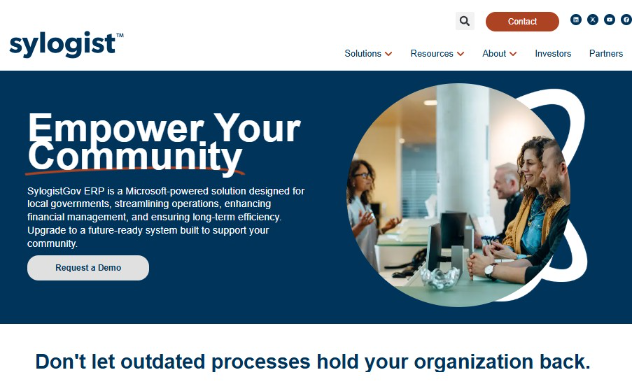
- Public-sector strengths: Fund accounting, budgeting, procurement, grants, payroll, taxation, utility billing, GIS, citizen portals, and real-time reporting.
- Best government fit: Municipalities and utility authorities that want finance and resident-facing services within a Microsoft-based ERP, with Sylogist specifically positioning the platform for local governments serving populations under 200,000.
SylogistGov goes further than finance-focused ERPs by combining fund accounting with municipal operations such as property tax, utilities, licensing, GIS, and a citizen portal. Built on Microsoft Dynamics 365 Business Central, it also integrates with Power BI, Excel, and Teams, so it’s particularly useful for governments that want to modernize without leaving the Microsoft ecosystem.
Its citizen portal connects taxation, utility billing, and licensing services, while ArcGIS integration supports mapping and data connectivity. Sylogist also provides real-time dashboards and reporting across financial and operational data.
5. Unit4 ERP
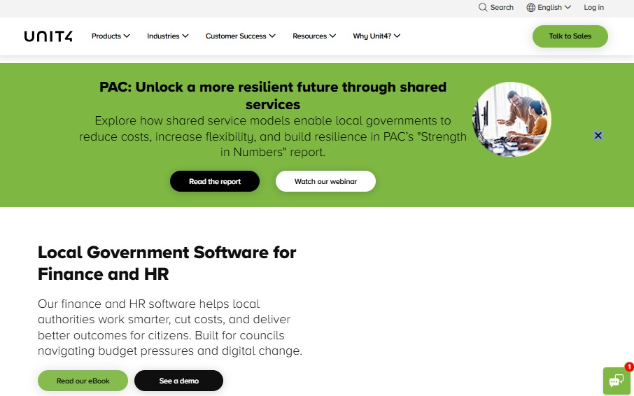
- Public-sector strengths: Multi-fund accounting, budgeting and forecasting, grants, procurement, HR/payroll, spend controls, and real-time financial reporting.
- Best government fit: Local and regional authorities that want finance, procurement, HR, payroll, and planning connected within one cloud platform.
Unit4’s differentiator is its preconfigured public-sector operating model, which combines ERP with FP&A, HR, and source-to-contract procurement. Local governments get multi-fund accounting and budget controls alongside supplier management and workforce planning, making it a stronger fit for councils trying to consolidate several back-office systems.
Southampton City Council provides a strong procurement proof point. After moving to Unit4 Cloud ERP, the council reported £250,000 in total procurement savings, while unified HR and payroll saved 500 staff hours and £80,000 annually. The system supports a council delivering 400+ services to roughly 254,000 residents.
6. Matiyas Public Sector ERP
- Public-sector strengths: Fund accounting, budget allocation, grant management, tender/bid management, procurement, audit trails, HR/payroll, and citizen-service portals.
- Best government fit: Municipalities and public agencies that need a highly configurable ERP spanning finance, procurement, workforce, and citizen services.
Matiyas differentiates itself through customization and breadth. Alongside fund allocation and expenditure controls, its public-sector ERP includes tender management, vendor evaluation, contract lifecycle management, permitting/licensing workflows, grievances, and citizen self-service.
Matiyas does not currently publish a detailed local-government case study with quantified implementation outcomes. At the company level, it reports serving organizations across 15+ countries and working with 200+ enterprises, although these figures cover its wider ERP business rather than public-sector deployments specifically.
7. RDA Systems
- Public-sector strengths: Fund accounting, budget controls, procurement, payroll/HR, utility billing, tax management, audit trails, and citizen portals.
- Best government fit: Small and midsize cities, towns, counties, and special districts that want a purpose-built municipal ERP without enterprise-scale complexity.
RDA Systems has focused on ERP for local governments and K-12 school districts for more than 40 years. Its Municipal Suite brings fund accounting, budgeting, procurement, payroll and HR, tax and utility revenue management, and constituent portals into a Google Cloud-hosted platform.
The company brings 40+ years of public-sector ERP experience and currently supports state-specific requirements across 8 states, including Georgia, Virginia, Pennsylvania, Massachusetts, New York, North Carolina, North Dakota, and Illinois.
8. Sage Intacct
- Public-sector strengths: GASB-compliant fund accounting, grant tracking, budgeting, spend controls, allocations, payroll integrations, and real-time dashboards.
- Best government fit: Government agencies, authorities, special districts, and public benefit organizations that prioritize financial management, reporting, grants, and budget control.
Sage Intacct focuses heavily on public-sector financial management. Its dimensional general ledger lets finance teams analyze activity by fund, program, entity, location, or other dimensions without creating an overly complex chart of accounts. It also supports grant tracking, allocations, dashboards, budget management, and connections with payroll and HR systems.
Macon-Bibb County Industrial Authority moved to Sage Intacct to manage an annual $12 million budget across 11 separate funds. The agency specifically credits the platform with giving its board, mayor, commission, and partners greater visibility into how public funds are being used.
9. Tyler Technologies Enterprise ERP
- Public-sector strengths: Multi-fund accounting, budgeting, procurement, grants, payroll, utility billing, revenue management, and Open Finance transparency tools.
- Best government fit: Mid-to-large cities, counties, and school districts that need finance, procurement, HR, payroll, and revenue management within a public-sector ERP.
Tyler’s clearest advantage is its depth in local government specifically. Enterprise ERP targets mid-to-large governments, while ERP Pro covers smaller organizations, which gives Tyler a broader municipal fit than many enterprise-first vendors. Its Open Finance tools also publish ERP financial data in a searchable, citizen-facing format. Tyler says its financial management products are used by 5,000+ local governments and special districts.
For the City of Jacksonville, Texas, ERP Pro and AP automation reduced invoice review time by 90% while eliminating duplicate payments and improving budget visibility. The city has 135 employees and serves roughly 15,000 residents.
10. MIP Accounting
- Public-sector strengths: Fund accounting, GASB reporting, budgeting, grants, purchasing, payroll/HR, cost allocations, and utility-billing integrations.
- Best government fit: Local governments, municipalities, utilities, and other public organizations that place fund accounting, budgeting, compliance, and financial reporting at the center of their ERP needs.
MIP Accounting is more finance-focused than full-suite municipal platforms like Tyler or OpenGov. Its main advantage is a multidimensional chart of accounts built for tracking unrestricted and restricted funds, grants, departments, programs, and cost centers without creating an unwieldy account structure. It also supports GASB 34 reporting, multi-year budgets, purchase orders, and integrations with utility billing systems.
MIP reports 40+ years serving local governments, Native nations, and utilities. Named users on its site include Callaway County, Missouri, and the Town of Rising Sun, Maryland. However, MIP does not appear to publish a dedicated municipal case study with quantified procurement or reporting improvements.
What Features Should Local Government ERP Software Have?
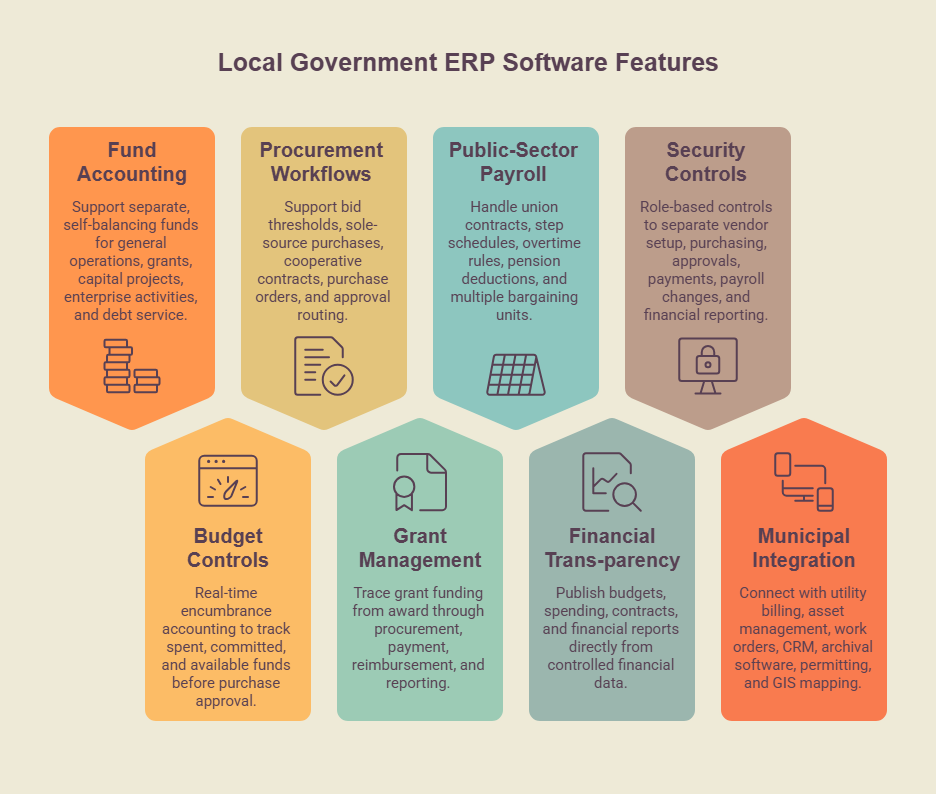
The best ERP for local government should help control public funds, enforce procurement rules, and give finance teams reliable data without relying on spreadsheets or manual workarounds. These government-specific requirements should sit alongside broader ERP selection criteria.
1. Fund Accounting and GASB Reporting
The ERP system should support separate, self-balancing funds for general operations, grants, capital projects, enterprise activities, and debt service. It should also support GASB compliance, GAAP compliance, restricted funds, and complete audit trails without forcing teams to recreate fund accounting through general ledger workarounds.
Finance teams should be able to see available balances, restrictions, commitments, and spending at the fund level from the same financial system.
2. Real-Time Encumbrance and Budget Controls
Budgets should update as soon as money is committed. Real-time encumbrance accounting lets finance teams and council members see what has already been spent, what is committed through purchase orders or contracts, and how much remains available before another purchase is approved.
3. Procurement Workflows and Approval Rules
Local government ERP systems should support bid thresholds, sole-source purchases, cooperative contracts, purchase orders, and approval routing based on applicable procurement rules.
Digital procurement is already common across the public sector. NIGP’s 2025 Public Procurement Benchmark Report found that 96.2% of surveyed procurement entities used technology for purchase orders, 90% for requisitions, and 86.5% for formal sourcing such as IFBs, RFPs, and RFQs.
The key ERP question is how well those procurement workflows connect with fund accounting, encumbrances, and budget controls.
4. Grant and Restricted-Fund Management
Government agencies need to trace grant funding from award through procurement, payment, reimbursement, and reporting. The ERP should track restrictions, funding periods, allowable expenditures, and remaining balances while maintaining a clear audit trail of how each award was used.
5. Public-Sector Payroll and HR
Union contracts, step schedules, overtime rules, pension deductions, and multiple bargaining units can make government payroll far more complex than commercial payroll. So, make sure your ERP can handle these requirements before selecting a vendor, particularly when ERP and HRIS selection are part of the same project.
6. Public-Facing Financial Transparency
Local Government ERP Software should make it easier to publish budgets, spending, contracts, and financial reports directly from controlled financial data.
Honolulu provides a current example. Its proposed open-checkbook initiative calls for a searchable public database of city expenditures that would be free to access and updated at least monthly, with a January 1, 2027 target.
Val Okimoto, Honolulu City Council Member and Chair of the Council's Budget Committee, said:
"The purpose is to ensure every dollar — whether it's for roads, housing, or parks — is spent wisely, and giving every resident the simple tools they need to hold their government accountable."
7. Security and Segregation of Duties
Role-based controls should separate vendor setup, purchasing, approvals, payments, payroll changes, and financial reporting so one user does not control incompatible stages of the same transaction.
For cloud ERP, also review multi-factor authentication, encryption, audit logs, backup and disaster recovery, incident-response procedures, data residency, privacy requirements, and the division of security responsibilities between your organization and the vendor. FedRAMP authorization may also matter when federal requirements or federal information are involved.
8. Integration With Municipal Systems
Local government ERP software may need to connect with utility billing, asset management, work order systems, citizen relationship management software, archival software, permitting tools, and GIS mapping technology. These integrations should move financial and operational data between systems without requiring staff to re-enter or manually reconcile the same information.
Utilities and public works projects may also require the inventory and procurement capabilities found in supply chain ERP software. When comparing vendors, check how transactions from these systems flow back into fund accounting, purchasing, and financial reporting.
If you are unsure whether your current ERP can still support your municipal requirements, check out the video below.
5 Common Mistakes Local Governments Make With ERP
Even a well-matched ERP can create problems when requirements, ownership, and internal controls are poorly defined. We recommend watching for these common mistakes during selection and implementation:
- Letting workarounds become permanent: Spreadsheets, side systems, and manual processes can create duplicate data and weaken audit trails. Document exceptions early and fix the underlying workflow rather than building permanent processes around the ERP.
- Leaving payroll requirements until implementation: Union contracts, step schedules, overtime rules, pension requirements, and special pay scenarios should be mapped during vendor selection. Discovering these requirements later can lead to expensive configuration changes.
- Changing project ownership too frequently: ERP projects need consistent ownership from requirements through go-live. Document decision rights, responsibilities, and major project decisions so leadership changes do not repeatedly reset the project.
- Giving oversight bodies limited visibility: Councils, boards, and other stakeholders should receive consistent updates on cost, scope, milestones, risks, and unresolved decisions. Clear reporting makes governance problems easier to identify before they become larger issues.
- Treating segregation of duties as a checkbox: ERP permissions should prevent one user from controlling incompatible steps such as vendor creation, purchase approval, and payment authorization. Role-based access, approval workflows, and audit trails should be designed into the implementation from the start.
For a broader look at implementation risks, see our guide to ERP implementation challenges. If ownership or user adoption is becoming a concern, it may also be worth bringing in outside support to strengthen governance, communication, and rollout planning.
Build Your Local Government ERP Strategy With Alpha Apex Group
Choosing ERP for local government starts well before the vendor shortlist. Fund accounting, procurement rules, payroll requirements, integrations, reporting, and governance all need to be clearly defined before you commit to a platform.
At Alpha Apex Group, we help local governments define requirements, compare ERP vendors, plan implementation, and manage the risks that can disrupt complex technology projects.
Ready to evaluate or replace your ERP? Contact us to discuss your requirements and next steps.
FAQs
How is fund accounting different from standard commercial accounting?
Fund accounting separates financial activity into self-balancing funds based on purpose, restrictions, or legal requirements. Commercial accounting generally focuses on the organization’s overall financial performance. For local governments, the ERP should support fund-level budgets, encumbrances, restricted resources, audit trails, and GASB reporting without extensive general ledger workarounds.
How long does a local government ERP implementation take?
There is no useful one-size-fits-all timeline for how long a local government ERP implementation takes. Duration depends on data quality, integrations, payroll complexity, number of departments, testing requirements, and how much process redesign is included. Poor requirements and late scope changes are common sources of delay.
Can procurement and fund accounting run on separate systems?
Yes. Procurement and fund accounting can run on separate systems if the integration reliably sends commitments, purchase orders, invoices, and payments to the correct funds and budgets. Poor integration can create duplicate entries, reconciliation work, and gaps in spending visibility.
What Payroll Requirements Should Local Governments Define Before ERP Selection?
Document bargaining units, step schedules, overtime rules, pension deductions, special pay arrangements, funding sources, approval processes, and general ledger posting requirements. Defining these requirements early makes it easier to determine which ERP and payroll configuration can support your workforce.
Does Alpha Apex Group Help Select ERP Software?
Yes. Alpha Apex Group supports ERP needs assessment, requirements definition, vendor evaluation and shortlisting, RFP development, and implementation planning. This helps local governments compare vendors against clearly defined operational, financial, and technical requirements.
Can Alpha Apex Group Support ERP Implementation After Vendor Selection?
Yes. After vendor selection, Alpha Apex Group can support system integration, data migration, testing, rollout coordination, and post-launch optimization. This helps local governments move from selection into deployment with a clear implementation structure and fewer handoff gaps.
.webp)
.jpg)